Category: Blog

  • A comprehensive guide to Enterprise UX

    A comprehensive guide to Enterprise UX

    [vc_row][vc_column][vc_column_text]Today, Enterprise UX has defined a compelling way to define user experience at work and the right balance. It is something that is impactful, pertinent and has the capacity to stir the change.

    What is Enterprise UX?

    To put it in simple terms ‘Enterprise UX is the design of software that assists employees in doing their tasks. It is the creation of everyday technologies such as Slack or Asana that are utilized in the workplace. In contrast to consumer UX, enterprise UX design focuses on designing for professionals at work. In more practical terms, enterprise UX apps are complex b2b solutions for major businesses.

    Enterprise UX plays an imperative role in invoking a sense of excitement, and closeness and bringing game-changing results for achieving goals.

    As per research every $1 invested in UX brings $100 in return. That is an ROI of mammoth 9,900%

    Give an experience that will make work fun 

    A meaningful interaction never fades. Let your users at work experience something conclusive that makes their work fun and gives them an enriching experience. This brings in an element of creativity and higher productivity which are key indicators of a good day at work.

    Win the competition and soar high in the market 

    The next big thing that has particularly changed the dynamics today is enterprise UX. To soar high and construe a unique position in the market is to be a step ahead in thinking of solutions that will bring an impact. Enterprise users are (primarily) power users, and must be considered this when developing products for them. They work with specialty software regularly, and maybe for a long time. They understand the logic behind the items they utilize. Bring that logic with an impeccable experience and human-centric designs.

    Simplify Enterprise UX to provide a world-class experience 

    It is important to keep interfaces simple and humanized. However, the complexity of the tasks generally performed incorporate software must be considered. The desire for a clean UI may deprive users of critical context for getting work done.

    Furthermore, it may be argued that simplifying the interface too much may increase the risks of creating friction rather than removing it. Consider the user interface of a product that shows a variety of charts and data.

    A professional who works with visual data on a regular basis requires constant access to it. Having to go through extra steps to get to important features is both inconvenient and ineffective. One of the most notable contrasts between consumer and enterprise UX is providing easy access where no extra actions are required.

    Consumer UX is all about beautiful UIs, whereas enterprise software needs to make sure users can do their jobs easily. Hence, it is not just about simplifying enterprise UX but also providing utility and immediate access interface.

    Leverage technology at the click and create a better sync

    Integrating design thinking in software that is appealing, can assist in creating a better sync. Despite the difficulties of workplace UX, a positive user experience can be achieved. Follow a simple rule that we always follow while building consumer products. If we follow a similar philosophy, the end-user first can bring in the best of technology to unfold the best of user experiences.

    Innovation is the key, make the best of it with impeccable functions 

    In today’s fast-moving world there’s nothing without innovation and you can innovate when you know the right solution. The biggest challenge while doing the UX research is deciding how to simplify enterprise UX. It is imperative to bring an experience where the core competency is to build a product that is easy to use, powerful and compelling to derive action.

    Changes are for the better, it’s time for you to bring the change

    To go deeper and stronger while creating an experience the key is to define change. Define copy and design elements that are easy to interact with and are more human. Don’t be generic it too boring in today’s fast pace identity-defining world. Bring inconsistency of brand identity and define your labels with values of design thinking and let your brand personality shine.

    In the nutshell 

    An enterprise UX can create value that one would have never imagined, it can create an understated difference. Be simple, be innovative, and be a forward thinker to accelerate your pace with enterprise UX. A stellar user experience with power-packed functionality will go a long way.

    • Integrating designing thinking will lead to the ultimate, futuristic, and holistically optimized organizational growth.
    • Enterprise or not, innovation is a critical component of UX design. Be attentive and find new and innovative solutions to existing challenges regularly. Be the change and take the risk to propose experimental solutions on occasion.
    • Small changes create big differences and sometimes less is more. Create a statement by creating human-centric products. Humanizing your enterprise UX can create an impact that will and build value that will have a long-term effect.

    Product and service design that is simple and straightforward is beneficial to your bottom line and brand value.[/vc_column_text][/vc_column][/vc_row]

  • Understanding Agile Design

    Understanding Agile Design

    [vc_row][vc_column][vc_column_text]Over two decades ago, agile methodologies were merely a set of best management practices set for developers. These methodologies in today’s day and age have spread out across several verticals of an organization.

    What is Agile Design?

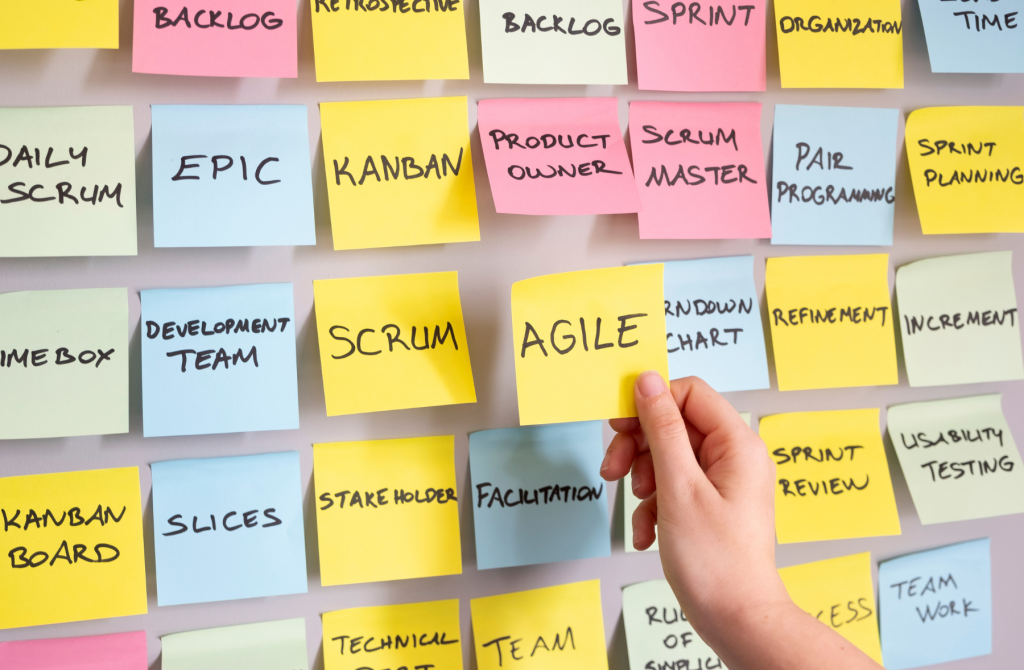
    In layman’s terms, ‘Agile’ is a member-oriented management system, intended to make different teams considerably more versatile to changes. The purpose of the introduction of Agile is to shift focus from inflexible processes to more real human interaction.

    Agile Design is an exceptionally cooperative method of developing and planning new products that break large undertakings into gatherings of subtasks to be acted in short time-boxed periods – referred to as ‘Sprints’. These tasks are consistently reported to the teams in casual scrum meetings driven by a – Scrum Master.

    Reason for the popularity of Agile Design

    The major reason for the soaring popularity of Agile Design is due to its iterative nature. Iteration in agile refers to the process of repetitive refining until a satisfactory product has been developed. Through agile, teams can improve their product with every iteration and decide on improvements needed with every short iteration.

    Approximately 90% of business units that had fully adopted an agile model before the pandemic performed better than the other business units which had not adopted an agile model.

    Benefits of Agile Design Methodology

     The Agile Design plan has an expansive range of advantages. Some of these benefits include:

    • An iterative interaction both permits to recognize issues and answers them swiftly
    • An iterative interaction creates a more transparent work culture
    • Clients are more included in the process and give groups significant input at all means of the overall agile process cycle
    • Constructive feedbacks during iterations assist teams in staying motivated
    • Agile helps in the early identification of bugs or design issues during the development process, which helps in saving time and cost.

    Incorporation of Agile Design Process

     As mentioned earlier, the agile design process involves an iterative approach but also uses an incremental approach; under which, the system segregates the work into smaller parts and comprehensively focuses the attention on individual parts. Incorporation of this approach helps in the following:

    Changeable: Any changes within the design process are possible assuming that any progressions are expected in the plan. There is an appropriate capacity for the changes, and any alterations in the design are fairly feasible.

    Feedback: Effectively communicating with the client to know their prerequisites and get the input of the client in regards to the product and roll out vital improvements according to the feedback provided.

    Development: Delivery of small portions of the design to the development team allows a swift implementation process. The teams do not spend time on allied processes, which further facilitates a smooth process.

    Steps undertaken in Agile Design Process

    An Agile design process includes the following steps:

     Design: It is the initial task at the inception of the project and requires adequate attention. The best design is that which is customer or client-driven and results in more productive outcomes. Additionally, the team that takes the responsibility for making a superior agile design and pays appropriate vigil on the project so that no time and resources are wasted.

    1. Analyze: When the design is finished and work is on target, appropriate analysis is required occasionally so that the extent of the shortcoming can be eradicated and the quality of the product can be sustained. Analysis of the design is also useful for the teams to finish their respective work in the given time.
    2. Develop: After the analysis of the design, the product is ready to be developed. Develop here however refers to the development of the required project management software, which is a key element of the project after its conclusion. Management of the product and project is crucial, especially after the execution of the project and thus, appropriate management protocols are required.
    3. Implement: The last stage of the agile design process is the implementation of the project and its execution. In this stage of the process, the feedback on the design is crucial as any feedback can be incorporated by the team. Likewise, the fulfillment of the customer/client is another crucial agenda after implementation.

    Methodology of Agile Design

    Various methodologies are utilized to make the work more straightforward and smoother; for the various activities, there is an alternate methodology. Some of these methodologies include:

    Agile UX: The UX variant or this sort of methodology centers around the result of the task as opposed to the negative perspectives on whether the product is successful or not.

    Scrum: It is the broadly used methodology in the market when enterprises contemplate working in agile. Under this type of methodology, both the preparation and execution of the task occur simultaneously. Along these lines, it is one of the more straightforward methodologies to be worked in agile.

    Crystal: This methodology centers around the key areas of the project and focuses on the project’s significant needs. Customer satisfaction is the main objective of this methodology.

    Extreme: This methodology focuses mainly on the end product and is utilized majorly for software development to ensure that the product is well suited to the needs of the client/customer.

    Road Ahead

    Agile design and its methodologies involve their own set of pros and cons. Even though the benefits and the features provided are exponential, there is some scope for improvement expected in certain areas. The execution and implementation prove to be a strenuous process due to difficult protocols and due to the process being more customer-centric. Nonetheless, through its combination of both iterative and incremental approach, the Agile design process surpasses any conventional iterative design processes and are a better option for enhanced productivity along with customer satisfaction.[/vc_column_text][/vc_column][/vc_row]

  • 8 signs it’s time to redesign your enterprise software UX

    8 signs it’s time to redesign your enterprise software UX

    [vc_row][vc_column][vc_column_text]

    Introduction

    We all know that building an enterprise software product is hard – it’s even harder to create a great user experience in your enterprise software product. As high-tech industries push computing power more than ever, the user experience bar continues to grow so that even as systems become increasingly complex, interfaces can remain simple and enjoyable.

    As you scan the horizon, seeing where your industry is headed, you can often see the requirement to further level up your enterprise software product. It’s an exciting proposition to explore: creating the future of technology. If you can achieve the right level of powerful functionalities, features and great user experience, your product can actually thrive and beat your competitors or maybe even invent something completely new.

    8 signs it’s time to redesign your enterprise software UX

    When we build enterprise software product, it often seems like the moment it starts to feel stable, is the

    When we build an enterprise software product, it often seems like the moment it starts to feel stable, is the moment the technology becomes outdated. Given the rapid pace at which technology is evolving, this represents an unavoidable part of running an enterprise software business.

    These are some of the signs that it might be time to rethink the user experience of your enterprise software.

    1. Your software is not following up with workflow changes

    Your user’s workflow has changed since it was created. Many b2b software is created in a new technology landscape, the workflow is designed to change for the user, as well as their overall “software stack”. Are you keeping up with these changes in user workflow? How about your competitor?

    2. Lack of functionality discourage new users from joining

    Maybe your old users love your product and will accept certain workarounds, but will new users be prevented from achieving their main goal with your product (even though you must be the right choice for them)? This situation can prevent you from expanding into a new vertical or from getting into the business you want to be.

    3. Users can’t get work done faster and easier

    When customers work with your product, they often want to make work more efficient. There’s no reason for your users to accept unnecessary navigation, errors or repetitive actions when you can easily solve these problems with better structure and more effective design.

    4. More training and re-training than expected

    If you need to retrain users of your product over and over again, chances are that the enterprise software product is unnecessarily complicated. Maybe the software is the original version of your data model, not how the user thinks. The simplification is achieved by thoughtful enterprise UX design. And it can be improved anytime, irrespective of the current state.

    5. Support tickets are more than they should be

    No matter what’s causing extra support tickets, either usability and performance issues, or long loading times and outdated code, servicing them is very expensive. Not only that, in specialized industries, it is difficult to find good quality support people (who have the field or technical expertise). Great enterprise software support staff is a rare breed. Usability issues like those found in support tickets mostly are easier issues to fix during a user experience (UX) redesign process, so the ROI for a redesign engagement can be a fairly straightforward calculation.

    6. Users are working across more devices (and software) 

    Users may be working on multiple devices that you haven’t previously considered while getting your enterprise software in place, such as small screen sizes (tablets, phones, watches ). These other devices may also offer opportunities to streamline their workflows. For example, users can only use the device in certain situations, and it can take much longer to reach their goals on tablets and phones. Perhaps you can incorporate other UX patterns to help users reach their goals. Customers may also need additional integration with other APIs or software. This may require significant back-end changes or front-end workflow considerations. These changes require UX design considerations (in terms of information flow and display). As integrations are added in stages, you’ll notice signs of “UX went bad” that can be eliminated with good UX design.

    7. Your brand isn’t resonating

    Although user experience design isn’t brand design, these two things often come up together when your business is growing. If your brand message doesn’t resonate or if it is confusing your customers to an extent that they are unable to differentiate between your company brand and product brand, or might mistake you for your competitor software, it’s a sign it might be time to redesign. It is so because, your business, your products, and your customers have evolved since your software’s first launch, but your brand hasn’t kept up with the changes.

    (Tone, value, and how you want to “treat” your users are important things to consider throughout your company’s experience, so running a branding initiative at about the same time as your UX makeover works very well. )

    8. Technology debt is undermining growth 

    We asked a group of developers what they think is the best indicator that an existing product needs to be rebuilt and redesigned. There were some important points worth emphasizing.

    • Stacks you are using are no longer maintained by their creators
    • Older technology poses a security risk (causing serious liability for your business)
    • Older technology stacks needing more effort to create and maintain the features and functionality than it should (Is there any logical math to keep old technology with the extra development effort needed?)
    • Your technology is holding your growth back (you can’t stay competitive because either things take too long or some customers can’t make the best use of your product)
    • Your developers are either losing interest or are starting to leave because they don’t want to continue working on old technology (is it worth losing good developers to keep your old design?)

    All in all 

    Every business needs to weigh the pros and cons of redesigning their UX and evolving their case to improve their user experience. We hope these reminders are helpful in thinking about the progress and business case you need in the future.

    The key to using these reminders is being able to attach a value to them. For example, most companies have more support tickets than they can handle, but when you consider the costs as well as the opportunities, you may find it’s time to invest into enterprise UX redesign.

    All technology based companies and brands have an increased need to stay relevant and competitive. For a lot of companies, especially in the FinTech and BioTech domain, user experience can be the biggest differentiator when it comes to delighting  people in a sales process and keeping users happy.

    Every company should weigh the pros and cons of UX redesign and develop a case for improving their user experience. We hope these reminders help think about the progress, timing and business case you need in the future.

    The key to using these prompts is to be able to assign them a value. For example, most companies have more support tickets than they want, but when you consider the costs as well as the opportunities, you may find it’s time to invest in a redesign process.

    All technology-based companies and brands have an increased need to stay relevant and competitive. For a lot of companies, especially in the FinTech and BioTech domains, user experience can be the biggest differentiator when it comes to delighting people in the sales process and keeping end users happy in the long term.

    What’s the first step to improving the overall usability of your enterprise software product?

    If you’ve been struggling to implement complex enterprise software product features that your users find intuitive to use, we have put together a world-class human-centric agile design process for you. Let’s talk to help you improve your software implementation and overall usability.

    If we’ve missed anything, please let us know, like you, we’re interested in continuous improvement so please reach out to us. 

    [/vc_column_text][/vc_column][/vc_row]